31 December: the date older websites stop getting security fixes
PHP 8.2, the software behind many WordPress and older websites, stops getting security fixes at the end of 2026. How to check yours in five minutes and what to do next.
· 6 min read
By the Blessed Pixels team
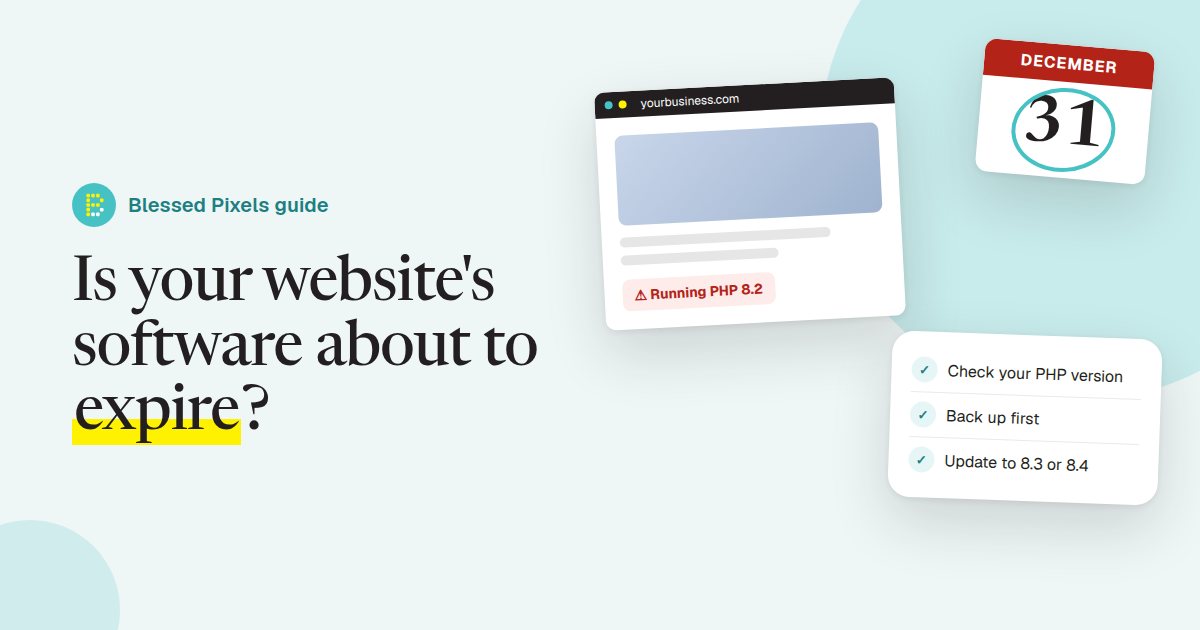
On 31 December 2026, PHP 8.2 stops receiving security fixes. You've probably never heard of PHP, and that's fine. It's the programming language that runs a large share of the world's websites, including WordPress, and the version your site uses is chosen by whoever set up your hosting, often years ago.
The official PHP supported versions page lists when each version stops being looked after. After that date, if someone finds a hole in 8.2, nobody fixes it. Your website keeps working. It just keeps working on software with known, unpatched problems, which is the kind of thing automated attacks look for.
This is a quiet, unglamorous deadline, so it gets missed. Below: how to tell whether it affects you, how to check in a few minutes, and what your choices are.
Who this affects, and who it doesn't
You're likely to be affected if your website runs on WordPress, Joomla, Drupal or similar software, and you (or a past web designer) arranged the hosting yourselves. That covers a huge number of business websites, from a plumber's five-page site to a busy restaurant's booking pages.
You're much less likely to need to do anything if your website sits on a fully managed builder such as Wix, Squarespace or Shopify. Those companies run the servers and update the software underneath for everyone at once.
The awkward middle is the website a designer built for you on a hosting account in your name, then handed over. Nobody may be watching it. If you can't say who updates your website, assume nobody does. Our guide to what pages a business website needs is a good companion read if a rebuild is on your mind anyway.
How to check your PHP version in five minutes
There are two easy ways in. You only need one.
- Inside WordPress. Log in, go to Tools, then Site Health, then the Info tab, and open the Server section. The PHP version is listed there. Site Health may also show a warning on its Status tab if your version is out of date.
- Inside your hosting account. Most hosting control panels have a page called something like "PHP version", "Select PHP version" or "MultiPHP Manager". It shows the version for each website on the account.
If you see 8.2 or anything lower (8.1, 8.0, 7.4 and so on), it's time to act. The older versions already stopped getting security fixes. WordPress itself announced it was dropping support for PHP 7.2 and 7.3 earlier this year, so sites stuck that far back are also missing WordPress updates.
If you see 8.3 or 8.4, you're fine for now. Make a note to check again next year, or hand the job over: keeping the website up to date is part of every one of our website plans.
Hosting companies are starting to remind customers about this too. GoDaddy, for one, published what website owners need to do about a PHP security update. If an email like that has been sitting in your inbox, now is a good time to open it.
Before you switch: back up and test
Changing the PHP version is usually one dropdown in the hosting panel. The risk isn't the switch. It's an old plugin or theme that was written for an older version and breaks on the new one.
So do it in this order:
- Take a full backup of the files and the database, and check you can download it. Many hosts have a backup button; some WordPress plugins do the same job.
- Update WordPress, every plugin and the theme to their latest versions first. Updates often add support for newer PHP.
- Delete plugins you no longer use. Each one is another thing that can break, or be broken into.
- If your host offers a staging copy (a private duplicate of your website), switch PHP there first and click around.
- Switch the live website to 8.4, or 8.3 if a plugin you depend on isn't ready.
- Check the pages that make money: the contact form, the booking calendar, the shop checkout. Send yourself a test enquiry.
If something breaks, switch back to the old version, which buys you time, and contact the plugin's maker or your web designer. Don't leave it there for months.
While you're logged in, it's worth running our free AI check too. It looks at how readable your website is to Google and AI tools, which is a separate question but often turns up the same neglected corners.
Signs it's a rebuild, not a repair
Sometimes this date is the moment to admit an old website has had its day. A few signs:
- The theme was last updated years ago, or its maker has disappeared.
- A plugin you rely on has no newer version.
- Nobody has the logins any more, or they're on a former designer's account.
- The website looks wrong on a phone.
- You've been meaning to change the prices, services or photos for a year but it's too fiddly.
None of those is a disaster on its own. Two or three together usually mean fixing the old site costs more time than starting fresh. When we build a new website on one of our plans, we host it, back it up and keep it up to date as part of the monthly price, so a deadline like this one becomes our job rather than yours. The details are in the website plan terms.
Put a name next to the job
Behind 31 December sits a broader point: every website runs on software that gets old, and someone needs to be responsible for keeping it current.
Write down three things and keep them somewhere safe: where your website is hosted, who has the logins, and who updates it. If the last answer is "nobody", decide today whether that's you, a freelancer, your host's managed service or a monthly plan like ours. Any of those is better than finding out in January that your contact form has been sending spam. The questions about our plans cover what we look after and what stays yours, such as your domain.
Frequently asked questions
What is PHP and why does my website need it?
PHP is the programming language that runs WordPress and many other website systems on the server. Visitors never see it, but every page they load is put together by it.
Will my website stop working on 1 January 2027?
No. It carries on as before. What stops is security fixes for PHP 8.2, so any new problem found after that date stays open on your site.
Which PHP version should I use?
The newest one your website works with. At the time of writing that's usually 8.4 or 8.3. Check your plugins and theme support it before you switch.
Do Wix, Squarespace and Shopify sites need a PHP update?
Generally not. Those platforms manage the software behind your site for you. This mostly matters for self-hosted websites such as WordPress.
Can my hosting company update PHP for me?
Some do it automatically, and many send warning emails. Ask them directly what version your site runs and what they plan to do before the end of the year.